Letterboxd Connect

Your film diary, on your own site.

Letterboxd Connect is a free WordPress plugin. Every film you log on Letterboxd becomes a post on your site, with your rating, your review, the day you watched it and the poster.

For WordPress 6.6 and newer on PHP 8.4. Free and open source under the GPL.

Logged on Letterboxd, posted on your site at the next check.
What it does

Imports as you log
It checks your diary on a schedule you choose, from hourly to weekly, and adds each new entry as a post dated the day you watched it. Rewatches get a post of their own.
Follows your changes
Change a rating, write a review or fix a date on Letterboxd, and the post updates too. Anything you've edited in WordPress stays as you left it.
Fills in the details
With a free TMDB key it adds the director, genres, IMDb link and a poster, and keeps retrying in the background if a service is down.
Brings in your history
The feed only holds your last 50 entries. Upload your Letterboxd export once to import everything before that, with the right dates and ratings.
Shows them off
The Movie Grid block lays out posters as cards or a list, with ratings, director, and links to watch, IMDb and Rotten Tomatoes. It's paged, accessible, and takes on your theme's colours.
Speaks up when something's wrong
If imports fail, stop running, or may have missed entries while you were away, a notice on your dashboard says so, and what to do about it.

How it looks

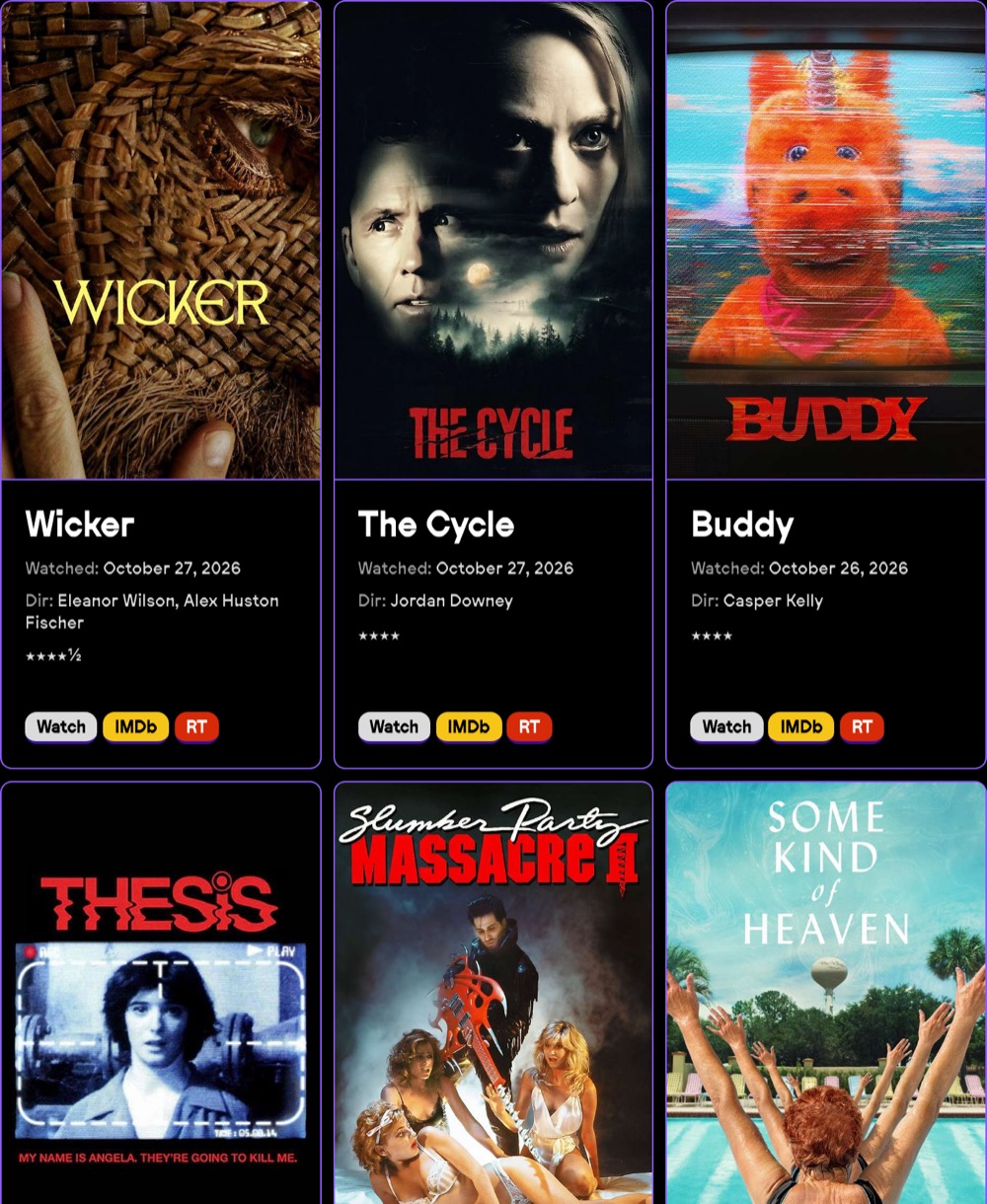
The Movie Grid block: poster cards for Wicker, The Cycle and Buddy, each with the date watched, director, star rating, and Watch, IMDb and RT buttons.
The Movie Grid block on davidstagg.com, where it started.
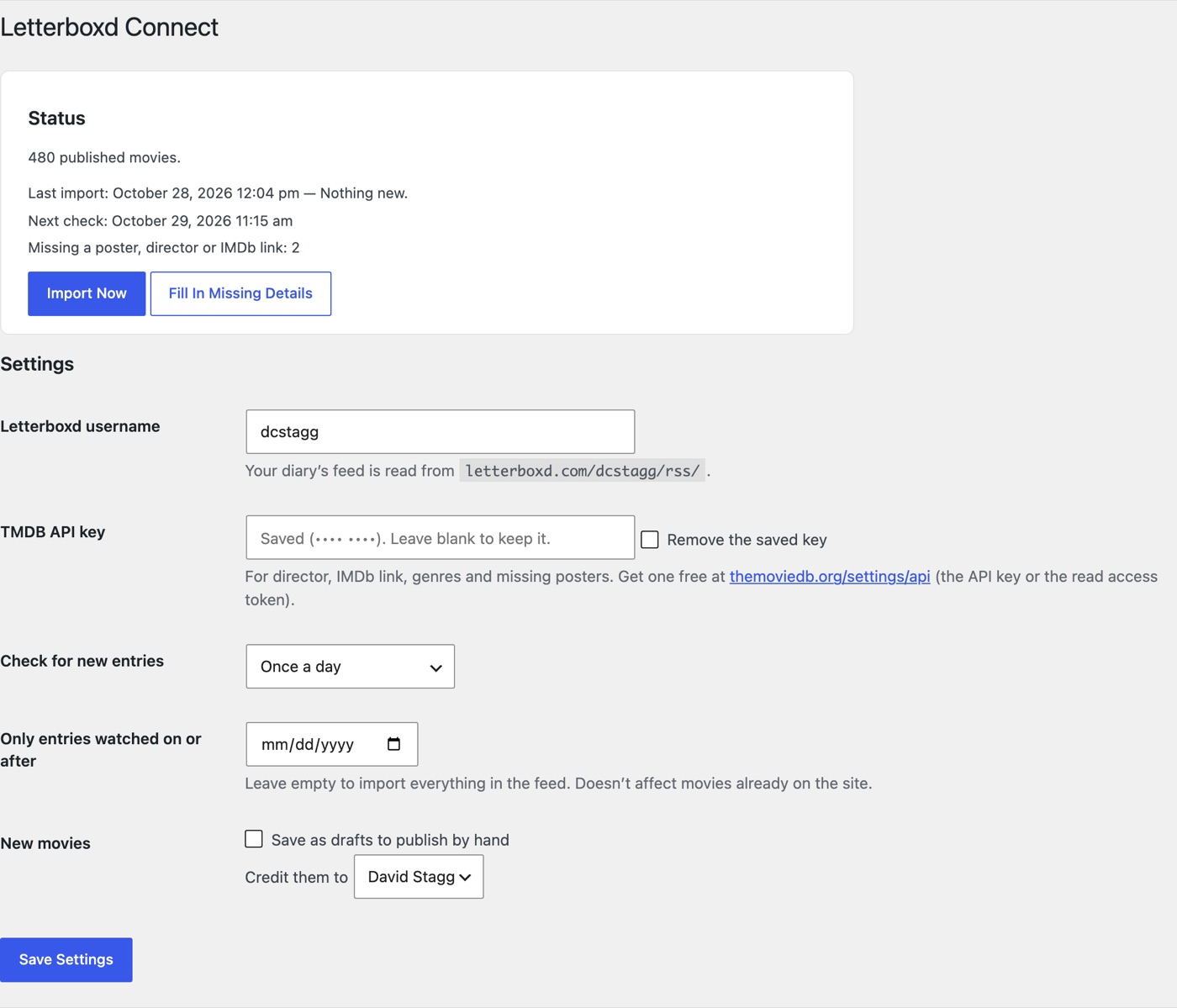
The settings page: a status box with the last import, the next check and movies missing details, then fields for the Letterboxd username, TMDB key, schedule, start date and author.
Settings → Letterboxd Connect: what happened on the last import, and a handful of settings.

Set up

About five minutes, most of it waiting for posters.

  1. Download the ZIP, then in WordPress go to Plugins → Add New Plugin → Upload Plugin, choose it, and activate.
  2. Open Settings → Letterboxd Connect and enter your Letterboxd username.
  3. Optional: add a free TMDB API key for directors, IMDb links and posters.
  4. Press Import Now. Your recent diary appears under Movies.
  5. Add the Movie Grid block to any page.
  6. Optional: on letterboxd.com, go to Settings → Import & Export → Export your data, then upload the ZIP on the plugin's settings page to bring in everything older.

You'll need

  • WordPress 6.6 or newer, on PHP 8.4 or newer
  • A public Letterboxd account
  • A TMDB API key, if you want directors, IMDb links and posters (free)

Questions

Does it need my Letterboxd password?

No. It reads your public diary feed at letterboxd.com/username/rss/, the same one any feed reader can.

Will it overwrite posts I've edited?

No. It fills in what's missing and follows changes you make on Letterboxd, field by field, but only where the post still says what Letterboxd said before. Your own edits always stay.

What happens if I delete a movie?

It stays deleted; the next import doesn't bring it back. If you change your mind, Forget Them on the settings page lets deleted movies be imported again.

I'm using version 1.

Install version 2 over it the same way. The upgrade runs by itself: your settings carry over, your movies and their addresses stay, star ratings 1.x lost come back from the feed, and its off-by-one watch dates are corrected as entries reappear.

How do I update to a new version?

New versions show up on your Plugins screen with an update now link, like any other plugin, and you can turn on automatic updates there. Your movies and settings stay. The changelog says what changed. (Versions before 2.0.7 don't check for updates: install the latest by hand once.)

Imports seem to have stopped.

WordPress runs scheduled tasks when someone visits a page that isn't cached, so a quiet, cached site can go a long time without one. The plugin warns you on the dashboard when that happens. A cron job on your server that requests wp-cron.php every 15 minutes fixes it for good; most hosts can set one up in their control panel.

Is this made by Letterboxd?

No. Letterboxd Connect is an independent plugin by David Stagg and isn't affiliated with or endorsed by Letterboxd.

Changelog

The changelog is in CHANGELOG.md on GitHub.